



The Central Library allows its esteemed readers to reserve information resources remotely via its electronic system, after registering, creating an account, receiving a username and password, and then logging into the electronic catalog available online (OPAC). The reservation process follows these steps:
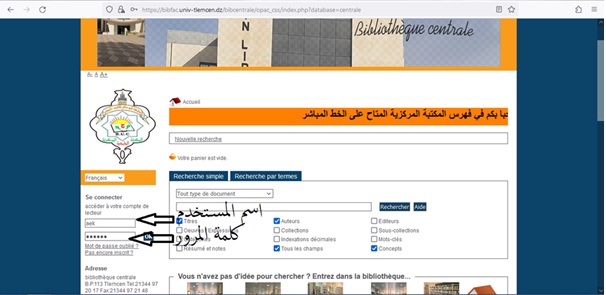
1-Go to the electronic catalog interface and enter the username and password.
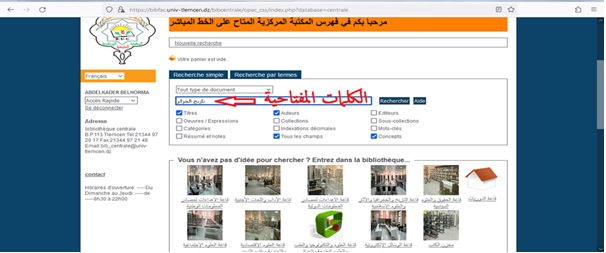
2-Enter keywords and search the electronic catalog, specifying the search type.
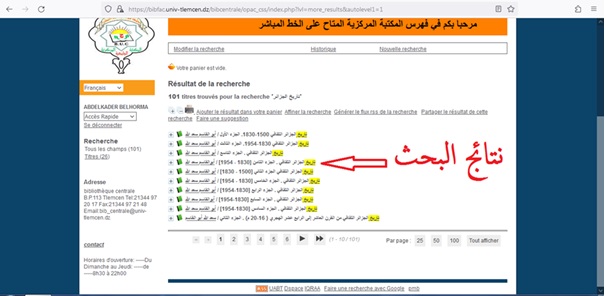
3-View search results and choose the appropriate title.
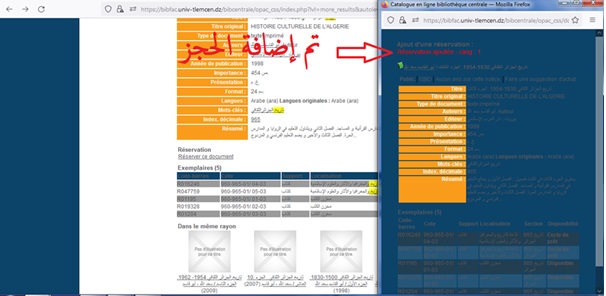
4-Reserve the book after ensuring that the copy is not borrowed or reserved for internal consultation, then click on the "Réserver ce document" icon.
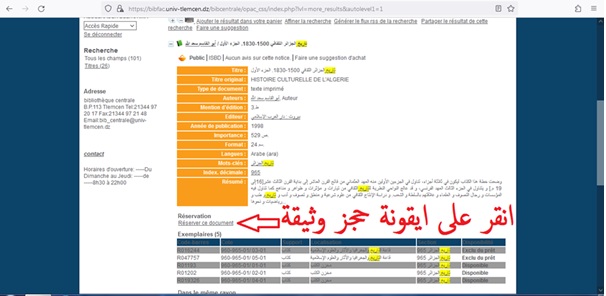
5-Add the reservation.
6-Access the reader's account and verify the reservation process.
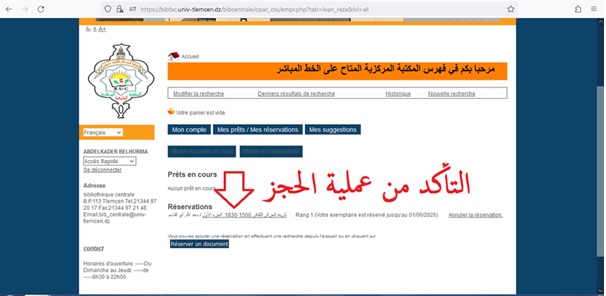
Note: All readers of the Central Library are informed that the reservation period for books is only one (1) day and the number of titles allowed for reservation is two (2) titles. The reader must go to the Central Library to pick up the reserved books and borrow them within the specified period (24 hours) before the reservation is automatically canceled.